
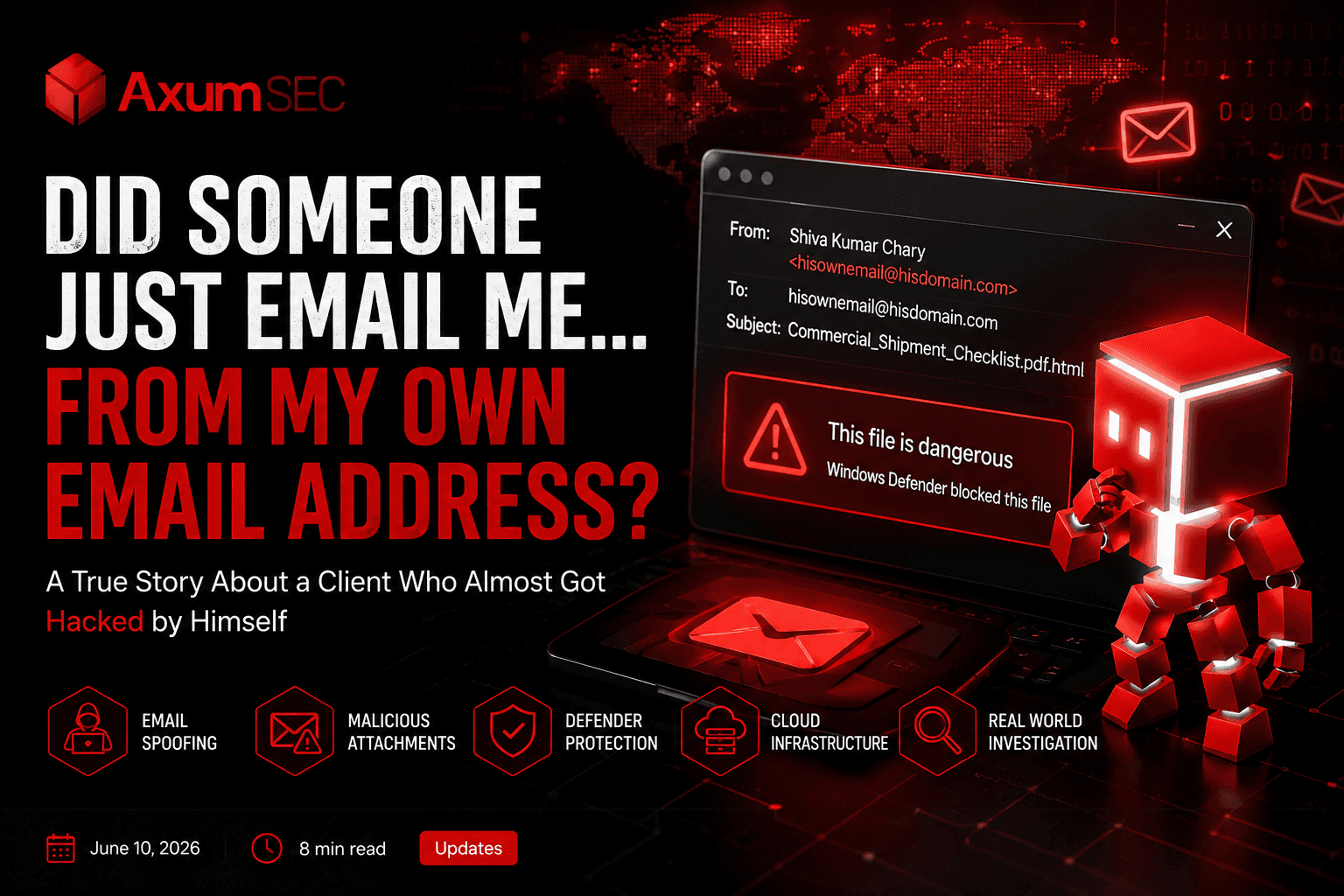
Did Someone Just Email Me... From My Own Email Address?
A True Story About a Client Who Almost Got Hacked by Himself
A True Story About a Client Who Almost Got Hacked by Himself
A True Story About a Client Who Almost Got Hacked by Himself
The Call That Made Our Stomachs Drop
It started with a panicked phone call.
“I think my email has been hacked. Someone is sending emails from my account. But I changed my password. Please help.”
The client's voice was shaking. And honestly? We understood why.
Here's what he told us:
“I received an email today. It looked normal. The attachment was named
Commercial_Shipment_Checklist.pdf.html. I almost opened it. But Windows Defender blocked it and said it was dangerous. Then I looked closer at who sent it...”
He paused.
“The display name said ‘Shiva Kumar Chary.’ But the email address... was my own email address. I was looking at an email that appeared to be sent by me, to me. How is that possible?”
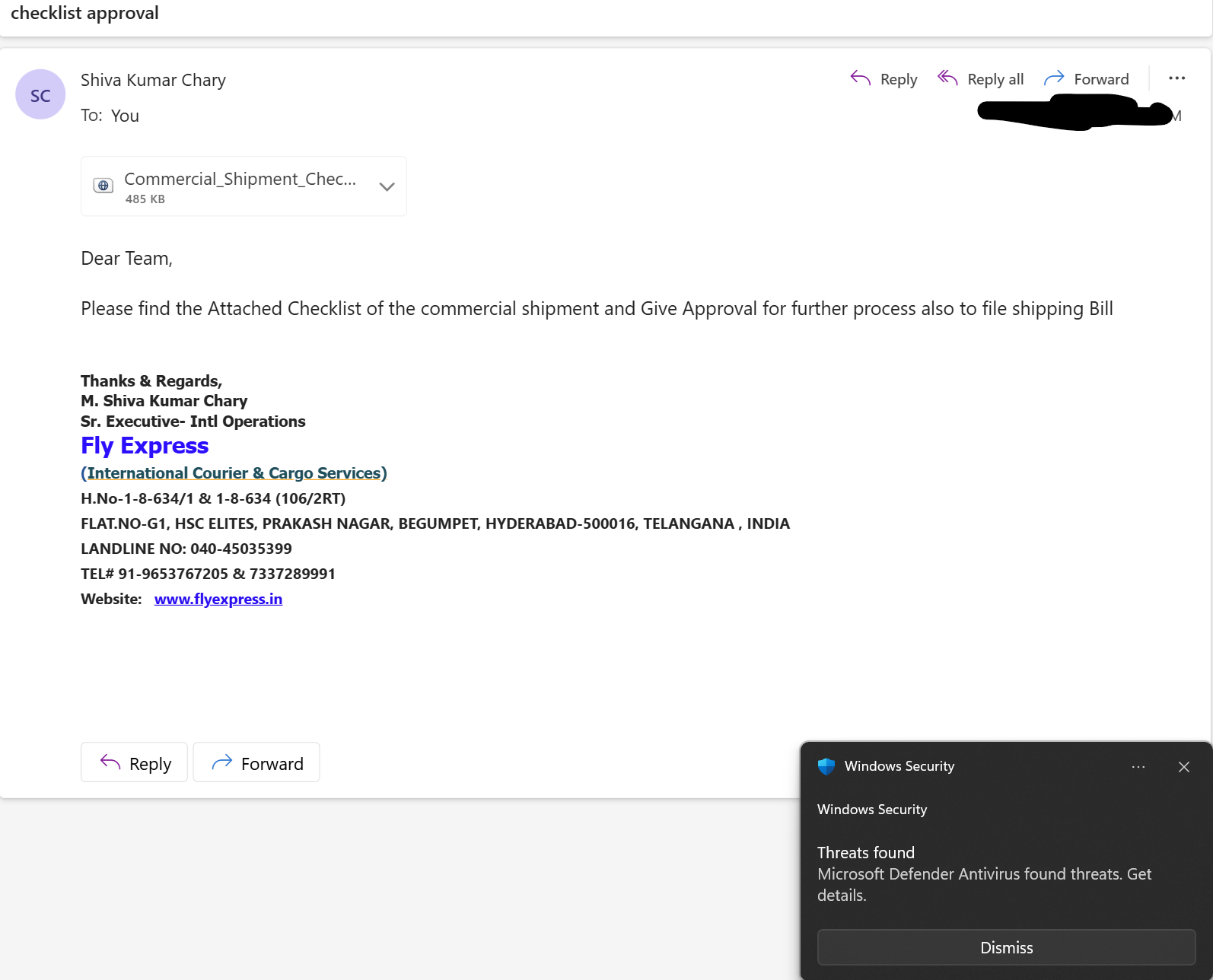
He checked his Sent folder. Nothing.
He changed his password anyway. Still nothing.
That's when he called us.
What We Found When We Investigated
We pulled the email headers. This is what we saw:
| Field | What It Showed |
|---|---|
| Display name | Shiva Kumar Chary |
| From address | hisownemail@hisdomain.com |
| Actual sender IP | 34.79.204.216.bc.googleusercontent.com |
| Where that IP lives | Google Cloud (a VM server, not his mail server) |
| Attachment | Commercial_Shipment_Checklist.pdf.html |
| Windows Defender action | Blocked the file as malicious |
Translation:
Someone rented a $10 Google Cloud virtual machine, typed in our client's email address as the sender, attached a fake PDF that was actually a credential-stealing webpage, and hit send.
And here's the scary part: They didn't hack his account. They didn't need to.
The Big Question: How Did This Happen?
Our client was confused.
“I changed my password. I have 2FA. How is someone sending emails as me?”
Here's the truth that most people don't know:
Email addresses are like return addresses on physical envelopes. Anyone can write any return address they want. There is no "ID check" unless you set one up.
That's exactly what happened here. The attacker forged the "From" address. No account breach. No stolen password. Just a lie in the email header.
But why did the email get delivered at all? Shouldn't email servers check for this?
They can. But only if the domain owner sets up the right protections.
The Three Layers of Email Security (And Where Ours Failed)
Think of email authentication like a nightclub with three bouncers.
Bouncer #1: SPF (Sender Policy Framework)
Job: “Only people on this list are allowed to say they're from this domain.”
What we found: The email came from a Google Cloud IP. That IP was NOT on our client's SPF list.
SPF Result: ❌ FAIL
Bouncer #2: DKIM (DomainKeys Identified Mail)
Job: “Show me your ID and signature to prove this email hasn't been tampered with.”
What we found: The attacker's server didn't have the private key to sign emails for our client's domain.
DKIM Result: ❌ FAIL
Bouncer #3: DMARC (Domain-based Message Authentication, Reporting & Conformance)
Job: “After checking SPF and DKIM, here's what you MUST do with failures.”
What we found: Our client's DMARC record was set to:
v=DMARC1; p=none
Translation: “If SPF or DKIM fails, do nothing. Just monitor. Let the email through.”
DMARC Result: ⚠️ MONITOR ONLY – NO BLOCKING
That's why the email arrived. Not because of a hack. Because the domain was configured to watch attacks, not stop them.
What DMARC Policies Actually Mean (Simple Version)
If you own a domain and you have cPanel (like AXUM SEC users), you can set a DMARC policy. Here's what each one does:
| Policy | What It Does | Is It Safe? |
|---|---|---|
| p=none | Monitor only. Emails that fail SPF/DKIM are still delivered. | ❌ NOT SAFE – You're just watching attacks arrive |
| p=quarantine | Suspicious emails go to SPAM folder instead of inbox. | ⚠️ BETTER – But still not fully protected |
| p=reject | Unauthorized emails are BLOCKED completely. Never reach the user. | ✅ SAFE – This is the goal |
Our client was on p=none. That's why a spoofed email from a Google Cloud VM landed in front of him.
If he had p=reject, that email would have been deleted at the server level. He never would have seen it.
The Attachment Trick: Why .pdf.html Is Dangerous
Let's talk about that file: Commercial_Shipment_Checklist.pdf.html
This is a very old, very effective trick.
- Your computer sees
.pdfand shows a PDF icon. - You think: “Oh, it's a safe document.”
- But the full extension is
.html– a web page. - When you open it, it launches a fake login page that looks real.
- You type your password. The attacker steals it.
Windows Defender saved our client this time. But you cannot rely on antivirus alone. The real fix is stopping the email from arriving at all.
What We Did To Fix It
We told our client: “Your account wasn't hacked. That's the good news. The bad news is your domain is vulnerable. Anyone can spoof you right now. We need to fix your DMARC policy.”
Here's exactly what we did for him:
Step 1: Fixed SPF (One Clean Record)
We made sure he had exactly one SPF record (duplicate records break things):
v=spf1 mx a ip4:his-server-ip -all
The -all at the end means: “Any server not listed here is NOT authorized. Fail them.”
Step 2: Enabled DKIM (Already Working)
His DKIM was fine. No changes needed.
Step 3: Changed DMARC from p=none to p=quarantine (First Step)
v=DMARC1; p=quarantine; sp=quarantine; adkim=s; aspf=s; pct=100
What this does:
Any email that fails SPF or DKIM now goes straight to SPAM. It never touches the inbox.
Step 4: Planned Move to p=reject (After 30 Days of Monitoring)
v=DMARC1; p=reject; sp=reject; adkim=s; aspf=s; pct=100
What this does:
Unauthorized emails are completely blocked. They never reach the user – not even spam folder.
Specific Recommendation from AXUM SEC (cPanel Users or anyone who have a domain name)
If you host your domains use cPanel, here is exactly how to protect yourself from this exact attack:
1. Locate Your DMARC Record
In cPanel, go to Email Deliverability → Manage a Domain → Look for _dmarc.yourdomain.com
2. If No DMARC Record Exists, Create One
Click Generate and choose this custom configuration:
v=DMARC1; p=quarantine; sp=quarantine; adkim=s; aspf=s; pct=100; rua=mailto:reports@yourdomain.com
p=quarantine→ Start here for safetyadkim=s→ Strict DKIM alignment (harder to spoof)aspf=s→ Strict SPF alignment (harder to spoof)pct=100→ Apply to 100% of emailsrua→ Send aggregate reports so you can see who is trying to spoof you
3. If You Already Have p=none, Change It Immediately
Edit the record. Change p=none to p=quarantine.
4. Wait 30 Days, Then Move to p=reject
After confirming no legitimate email is being blocked, change to:
v=DMARC1; p=reject; sp=reject; adkim=s; aspf=s; pct=100
5. Test Your Configuration
Use free tools like:
mxtoolbox.com/dmarc.aspxlearn.microsoft.com/en-us/microsoft-365/security/office-365-security/email-authentication-dmarc-configure
The Bottom Line (For Everyone)
Let me be very clear:
If your DMARC policy is p=none or doesn't exist, your domain can be spoofed by anyone with $10 and 10 minutes.
- You do not need to be hacked.
- Your password does not need to be stolen.
- Your 2FA does not matter.
An attacker can simply forge your email address, attach a malicious file, and send it to your own employees, clients, or partners.
Our client was lucky. Windows Defender blocked the file. He noticed the sender mismatch. He called us before clicking.
But luck is not a security strategy.
What You Should Do Right Now
- Check your DMARC record today. Don't know how? Ask your hosting provider or IT team.
- If it says
p=none, change it top=quarantineimmediately. - After 30 days of monitoring, change to
p=reject. - Tell your team: “Just because an email looks internal doesn't mean it is. When in doubt, ask.”
Final Thought
That email our client received – the one from "Shiva Kumar Chary" that was actually from himself?
It wasn't a hack.
It was a warning.
A warning that his domain was an open door. Next time, the attachment might not get blocked. Next time, someone might click. Next time, it won't be a near-miss.
Don't wait for next time.
Fix your DMARC policy today.
Need help checking your DMARC configuration? Contact our team. or email us hello@axumsec.com We can audit your domain without any confidential information – and show you exactly how safe (or unsafe) your email authentication really is.